
Onvei P87 smart entry scenarios
See how to use the Onvei P87 at a front door, a pedestrian gate or a shared entrance.
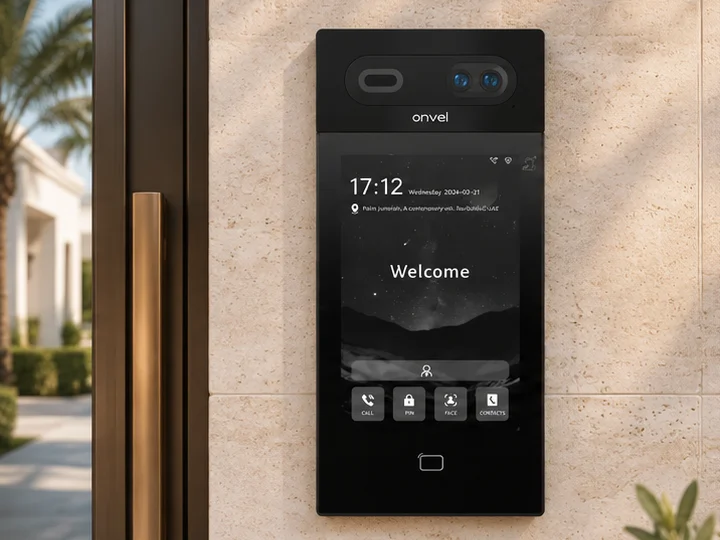
Front door: talk to a visitor
Install the P87 beside the front door. When a visitor rings, answer from a compatible indoor monitor and use the camera and microphone to see and speak with them.
Pedestrian gate: handle a delivery
Place the station by the pedestrian gate where a courier can reach it. A call lets you speak to the courier before opening. If you want remote release, have the installer verify the gate controller and relay integration, then test opening from the monitor.
Shared entrance: give residents regular access
At a shared lobby entrance, give authorized residents a supported credential, such as an IC card or PIN. Keep visitor calls available for guests and check that each credential grants access to the intended entrance.
Plan power and test the setup
The P87 supports PoE (802.3at) or a 12 V DC supply. Before installation, confirm the network and power at the mounting point and verify support for the SIP or ONVIF features you intend to use. Test the call and the release separately.
Key specifications
| Specification | Value |
|---|---|
| Model | INDS87BET |
| Power | PoE (802.3at) / 12 V DC, 3 A |
| Display | 8″ IPS · 1280 × 800 |
| Camera | 2 MP · 120° horizontal |
| Protection | IP65 / IK08 |
| Dimensions | 140 × 300 × 60.3 mm |